




Texas Instruments TPS25984EVM Evaluation Module
Texas Instruments TPS25984EVM Evaluation Module allows reference circuit evaluation of TPS25984 eFuse. This TPS25984 device is a 70A (peak) stackable eFuse with an accurate and fast current monitoring feature, designed to operate at a 4.5V to 16V input voltage range. The TPS25984EVM evaluation module comes with two TPS25984 eFuses connected in parallel to evaluate a 12V (typical) and 110A (steady-state) design. This evaluation board features a 14A to 120A programmable circuit breaker, an adjustable output voltage slew-rate control, and an adjustable transient current blanking timer. This board also features an adjustable current limit during start-up and an active current sharing threshold using onboard jumpers. The TPS25984EVM evaluation module is used in input hot-swap/hot-plug, server and high-performance computing, network interface cards, graphics and hardware accelerator cards, data center switches, and routers.
Features
- 5V to 16V (typical) operating voltage range
- 14A to 120A programmable circuit breaker threshold using onboard jumpers
- Adjustable reference voltage for overcurrent protection and active current-sharing blocks
- Adjustable current limit during start-up and active current sharing threshold using onboard jumpers
- Adjustable output voltage slew rate control
- Adjustable transient current blanking timer
- TVS diode for input and Schottky diode for output transient protections
- LED status for power good and fault indications
- Options to engage the power cycle and the Quick Output Discharge (QOD)
- Option to apply custom load transients using onboard MOSFETs, gate drive circuit, and load resistors
Applications
- Input hotswap and hotplug
- Server and high-performance computing
- Network interface cards
- Fan trays
- Graphics and hardware accelerator cards
- Datacenter switches and routers
Related eFuse
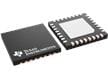
Texas Instruments TPS25984 Stackable eFuses
4.5V to 16V input range, 0.8mΩ RDS(on), 70A stackable eFuses with accurate and fast current monitor.
TPS25984EVM Setup with Test Equipment

Follow these instructions before starting any test and repeat again before moving to the next test:
• Set the power supply output (VIN) to zero volts
• Turn off the power supply
• Adjust the jumper positions on EVM to the default configuration as shown in the table
• Turn the power supply on and set the power supply output (VIN) to 12V, 200A, and keep the power supply output disabled
• Enable the power supply output so that the EVM gets the input power supply
Published: 2024-01-15
| Updated: 2024-02-01